Best Co-Parenting Apps After Divorce in Connecticut | Communication Tools for Shared Custody
Discover the best co-parenting apps for Connecticut divorced parents. Learn how digital tools help with custody schedules, communication, and meeting court requirements.
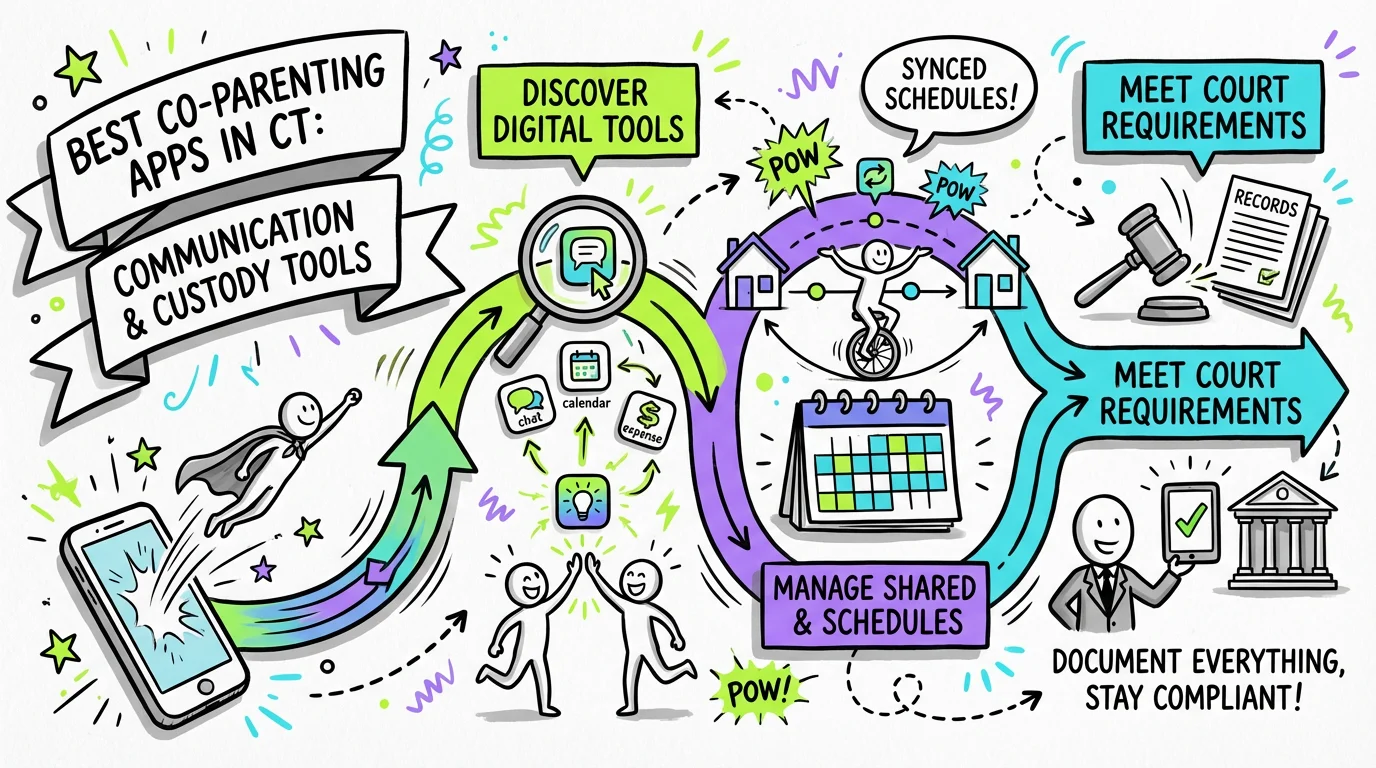
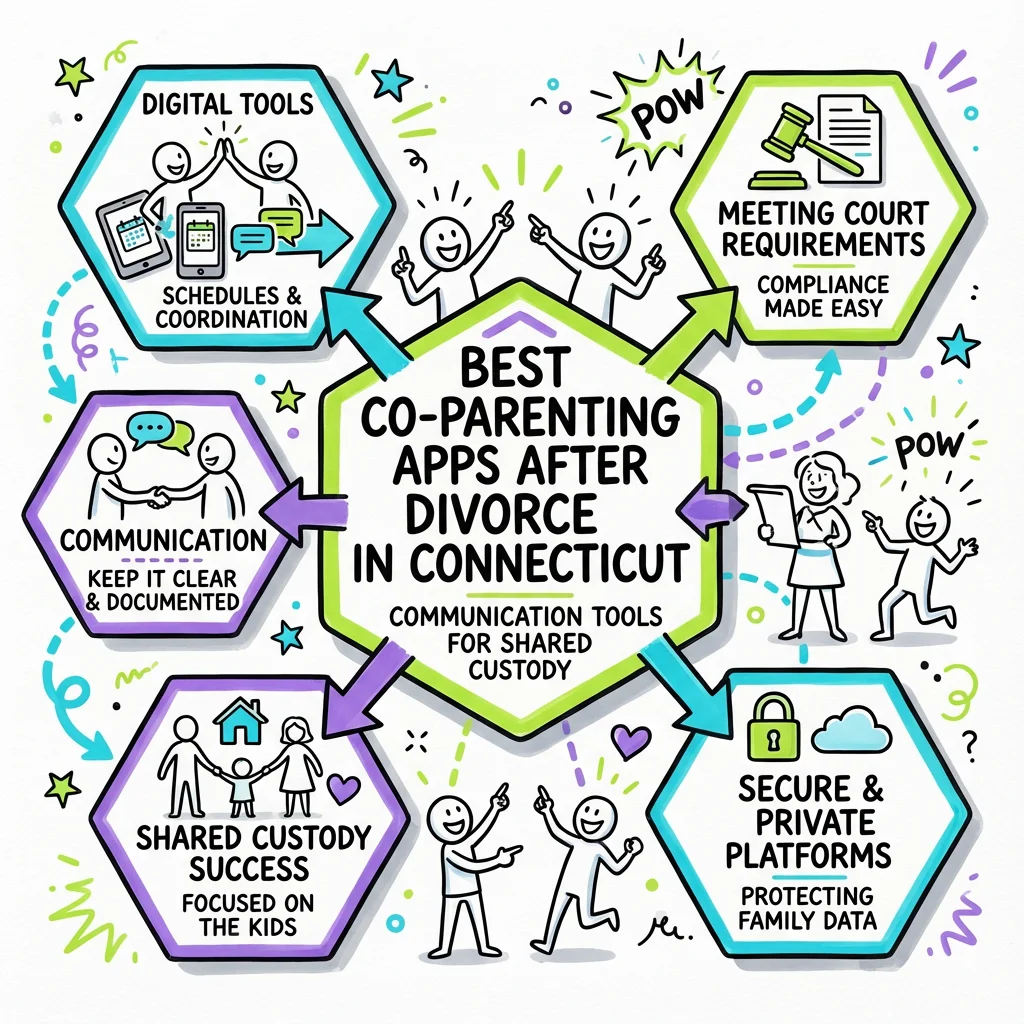
The best co-parenting apps for Connecticut divorced parents include OurFamilyWizard, Talking Parents, AppClose, and Cozi—each offering features like shared calendars, documented messaging, expense tracking, and custody schedule management that help parents meet Connecticut's joint custody requirements while minimizing conflict. These apps create a business-like communication structure that protects both parents and children during the transition to post-divorce life.
Why Co-Parenting Apps Matter in Connecticut Custody Arrangements
Connecticut courts place the child's best interests at the center of every custody decision under C.G.S. § 46b-56, which means parents must demonstrate their ability to cooperate and communicate effectively about their children's needs. When courts award joint custody—defined under C.G.S. § 46b-56a as "joint decision-making by the parents" with physical custody shared to "assure the child of continuing contact with both parents"—they expect parents to have systems in place for coordinating schedules, sharing information, and making decisions together.
Co-parenting apps provide the infrastructure for this cooperation. They create a neutral digital space where parents can communicate about children without the emotional charge of face-to-face interactions or text messages. For protective parents especially, these apps offer peace of mind by documenting every exchange, creating a clear record that can be referenced if disputes arise or if modifications to custody arrangements become necessary.
Connecticut's mandatory parenting education program under C.G.S. § 46b-69b specifically addresses "the impact on children of the restructuring of families." The skills taught in these court-required classes—including healthy communication and conflict reduction—are exactly what co-parenting apps are designed to facilitate in daily practice.
Key Features to Look for in Co-Parenting Apps
Shared Custody Calendars
A robust shared calendar is perhaps the most essential feature for Connecticut co-parents. These calendars allow both parents to see the custody schedule at a glance, track holidays and special occasions, and request schedule changes through a formal process. Look for apps that color-code parenting time, send automatic reminders before custody exchanges, and allow you to export calendars to your personal devices.
The calendar feature becomes especially important when implementing Connecticut parenting plans, which must detail how physical custody will be shared. Having a digital record of the actual schedule—including any agreed-upon changes—provides documentation that can be invaluable if questions arise later about whether the plan is being followed. To proactively build a clear and comprehensive agreement, tools like Untangle's parenting plan builder can guide you through each step, ensuring all aspects of physical custody and decision-making are documented and legally-compliant.
Documented Messaging Systems
Unlike regular text messages or emails, co-parenting app messaging systems are specifically designed to be admissible in court. Messages are time-stamped, cannot be deleted or edited after sending, and are stored permanently. This accountability often encourages more respectful communication because both parents know their words are on the record.
For protective parents concerned about their children's wellbeing, documented messaging creates a paper trail of all parenting discussions. If you need to demonstrate a pattern of behavior—whether positive or concerning—to the court during a modification hearing under Practice Book Rule § 25-26, these records can be crucial evidence.
Expense Tracking and Payment Features
Many co-parenting apps include tools for tracking shared expenses like medical costs, extracurricular activities, and school supplies. Parents can upload receipts, request reimbursement, and maintain a clear record of who paid for what. Some apps even integrate with payment systems to facilitate direct transfers between parents.
This feature helps Connecticut parents comply with child support orders and avoid disputes about unreimbursed expenses. When both parents can see exactly what has been spent and who has contributed, there's less room for misunderstanding or conflict. To ensure you're accurately calculating child support obligations and avoiding financial disputes, tools like Untangle's child support calculator can provide accurate estimates based on Connecticut's official guidelines.
Comparison of Top Co-Parenting Apps
| Feature | OurFamilyWizard | Talking Parents | AppClose | Cozi |
|---|---|---|---|---|
| Shared Calendar | ✓ | ✓ | ✓ | ✓ |
| Documented Messaging | ✓ | ✓ | ✓ | Limited |
| Expense Tracking | ✓ | ✓ | ✓ | ✗ |
| Court-Admissible Records | ✓ | ✓ | ✓ | ✗ |
| Professional Access (attorneys, GALs) | ✓ | ✓ | Limited | ✗ |
| Cost | $$$ | $$ | Free | Free |
| Info Bank/Document Storage | ✓ | Limited | ✓ | ✗ |
OurFamilyWizard
OurFamilyWizard is often considered the gold standard for high-conflict co-parenting situations. Its comprehensive feature set includes a detailed expense log, "ToneMeter" technology that flags potentially inflammatory language before you send it, and professional accounts that allow attorneys, mediators, or guardians ad litem to monitor communications. Many Connecticut family courts are familiar with this app, and some judges specifically order its use.
The app's "Info Bank" feature lets parents store important information about their children—medical records, school contacts, allergies, and clothing sizes—in a shared space that both parents can access. This supports Connecticut's joint custody framework, which requires parents to share decision-making about education, healthcare, and other major issues. Similarly, keeping all critical details about your children organized and accessible is vital for shared decision-making; tools like Untangle's children's information management can help you track schools, doctors, address history, and other important records for court documents.
Talking Parents
Talking Parents offers a strong balance of features and affordability. Its messaging system creates unalterable records that are frequently used in court proceedings. The app includes a shared calendar, secure file sharing, and the ability to create professional accounts for third parties involved in your case.
One standout feature is the "Accountable Calling" option, which allows parents to make recorded phone calls through the app when necessary. For protective parents who need to discuss urgent matters verbally but want documentation, this can be invaluable.
AppClose
AppClose provides core co-parenting features—messaging, calendar, expense tracking, and a shared information repository—completely free of charge. It is a popular choice for families who need robust functionality without a monthly subscription fee.
The app includes a "Check-In" feature that allows the parent with the children to share location updates during custody time, which can provide reassurance without requiring constant communication. For parents navigating the early stages of separated parenting, this feature can help build trust.
Cozi
Cozi is a general family organization app rather than a dedicated co-parenting tool. While it offers excellent calendar sharing and family scheduling features, it lacks the documented messaging and court-admissible record-keeping that make other apps suitable for post-divorce co-parenting.
Cozi may work well for amicable co-parenting situations where documentation isn't a concern, but protective parents who want clear records should consider apps specifically designed for separated families.
How Co-Parenting Apps Support Connecticut Court Requirements
Connecticut's family courts take communication and cooperation seriously when making custody determinations. Under C.G.S. § 46b-56, courts consider factors including "the willingness and ability of each parent to facilitate and encourage such continuing parent-child relationship between the child and the other parent as is appropriate." Using a co-parenting app demonstrates your commitment to this principle.
When courts order mediation under C.G.S. § 46b-53a to address "child custody and visitation issues," having organized records from a co-parenting app can help the mediation process move forward productively. Mediators can see the actual communication history between parents rather than relying on conflicting accounts.
If custody modifications become necessary, the documentation from co-parenting apps can be submitted as evidence. The Appellate Court case Thunelius v. Posacki illustrates how custody determinations focus on the child's best interests and the parents' ability to provide appropriate care. Clear communication records can support your position in modification proceedings.
Tools like Untangle's case details management can complement your co-parenting app by helping you keep all divorce-related documents—including custody agreements, court orders, and parenting plans—organized and easily accessible alongside your app records.
Try our free CT child support calculator
Calculate your estimated child support using Connecticut's official guidelines formula.
Steps to Successfully Implement a Co-Parenting App
-
Choose an app that fits your situation. Consider your conflict level, budget, and specific needs. High-conflict situations generally benefit from apps with more robust documentation features, while amicable co-parents may prioritize ease of use.
-
Include the app in your parenting plan. When negotiating your parenting plan, consider specifying which co-parenting app you'll use and how. This makes the app part of your court order and creates clear expectations for both parents.
-
Set up the app completely before relying on it. Enter your custody schedule, add important contacts and medical information, and configure notification settings. Taking time to set up the app properly prevents confusion later.
-
Establish communication guidelines. Agree with your co-parent on response time expectations, what topics should be discussed through the app versus handled another way, and how you'll handle emergencies.
-
Use the app consistently. The documentation benefits only work if you actually communicate through the app. Resist the temptation to have side conversations through text or email that won't be captured in your records.
-
Review and organize records periodically. Download or export your communication logs regularly. While apps store this data, keeping your own backups ensures you have offline access when needed.
-
Grant access to professionals when appropriate. If you have an attorney, guardian ad litem, or family therapist involved in your case, consider granting them access to your co-parenting app so they can stay informed about ongoing communication.
Managing Communication Through High-Conflict Situations
For protective parents dealing with a difficult co-parent, co-parenting apps provide essential boundaries. The structured format encourages business-like communication focused on the children rather than rehashing past grievances. When every message is documented, most parents naturally become more careful about their tone and content.
Connecticut courts can and do review co-parenting communications when making custody decisions. In cases like Dufresne v. Dufresne, where visitation modifications were at issue, the court considered the parties' ability to cooperate and communicate effectively. Having a clear record of your reasonable, child-focused communication can support your position if you need to seek modifications or address concerning behavior.
If you're preparing for court proceedings, Untangle's task dashboard can help you manage your to-do list alongside your co-parenting app records, ensuring you don't miss important filing deadlines or documentation requirements. Having everything in one place reduces stress and helps you feel prepared.
Some co-parenting apps offer "professional access" accounts that allow your attorney or a court-appointed guardian ad litem to monitor communications in real-time. This feature can be particularly valuable in high-conflict cases where ongoing documentation is important.
Costs and Considerations
| App | Monthly Cost | Annual Cost | Free Option |
|---|---|---|---|
| OurFamilyWizard | ~$12-18/month per parent | ~$144-216/year per parent | No (fee assistance available) |
| Talking Parents | Free / $10-25/month | Free / $120-300/year | Yes (website access) |
| AppClose | Free | Free | Yes (Full features) |
| Cozi | Free / $2.50 (Gold) | Free / $29.99 (Gold) | Yes |
Consider whether the cost is worth the documentation and peace of mind. For high-conflict situations, the investment in a robust app like OurFamilyWizard often pays for itself by reducing disputes and providing clear records. For more amicable situations, a free or lower-cost option may be sufficient.
Some courts and legal aid organizations offer fee assistance or reduced-cost access to co-parenting apps for qualifying families. Ask your attorney or the family services division of your local Connecticut Superior Court about available programs.
When Professional Help Is Needed
While co-parenting apps are powerful tools, they're not a substitute for professional guidance in complex situations. If you're experiencing ongoing high conflict, concerns about your child's safety during parenting time, or difficulty getting your co-parent to use agreed-upon communication methods, it may be time to consult with a family law attorney.
Connecticut offers Family Services mediation through the court system to help parents resolve disputes about custody and visitation without full litigation. Under Practice Book Rule § 25-60, evaluations and mediation reports become part of the court record and can inform custody decisions. An attorney can help you understand when these services might be appropriate and how to request them.
Untangle's AI consultation can help you understand your options and prepare for conversations with legal professionals. Being organized and informed helps you make the most of attorney consultations and advocate effectively for your children's best interests.
Frequently Asked Questions
Are co-parenting app messages admissible in Connecticut family court?
Yes, messages from co-parenting apps like OurFamilyWizard and Talking Parents are generally admissible in Connecticut family court because they create timestamped, uneditable records that cannot be deleted by either parent.
Do Connecticut family courts require divorced parents to use co-parenting apps?
Connecticut courts don't universally require co-parenting apps, but judges may order their use in high-conflict cases, and many Connecticut mediators and attorneys recommend them to help parents meet joint custody communication requirements under C.G.S. § 46b-56a.
How much do co-parenting apps cost in Connecticut?
Co-parenting apps range from free options like Cozi and AppClose to paid services like OurFamilyWizard ($99-$150/year per parent) and Talking Parents ($4.99-$14.99/month for premium features), with some Connecticut courts offering fee waivers for OurFamilyWizard.
Can I sync my co-parenting app with my Connecticut parenting plan schedule?
Yes, most co-parenting apps allow you to input your Connecticut court-ordered parenting plan schedule, including holiday rotations and summer custody arrangements, and will send automatic reminders for custody exchanges.
What is the best free co-parenting app for CT divorced parents?
Cozi and AppClose are the best free co-parenting apps for Connecticut parents, offering shared calendars and basic messaging, though they lack the court-admissible documentation features of paid apps like OurFamilyWizard and Talking Parents.
Legal Citations
- • Practice Book Rule § 25-26 - Modification of Custody, Alimony or Support View Source
- • Practice Book Rule § 25-60 - Evaluations, Studies, Family-Services Mediation Reports View Source
- • Thunelius v. Posacki, 193 Conn. App. 666 View Source
- • Dufresne v. Dufresne View Source
- • C.G.S. § 46b-56 - Best Interests of the Child View Source
- • C.G.S. § 46b-56a - Joint Custody View Source
- • C.G.S. § 46b-69b - Parenting Education Program View Source
- • C.G.S. § 46b-53a - Mediation View Source